(Optional) Patching recovery
I will be providing the original and patched recovery_ramdisk.img image.
The recovery_ramdisk_magisk.img image is the patched output from the following steps.
1. Download your stock image
- Download from HuaweiStockRom.
- Depending on whether or not the free links work or are expired, you may need to pay for a paid link.
- Link (Paid by me)
- Original COR-L29_9.1.0.405_C432E1R1P9T8
- I was able to use the
recovery_ramdisk.imgfrom a different stock rom version than my own, but your milleage may vary.
2. Extracting recovery_ramdisk
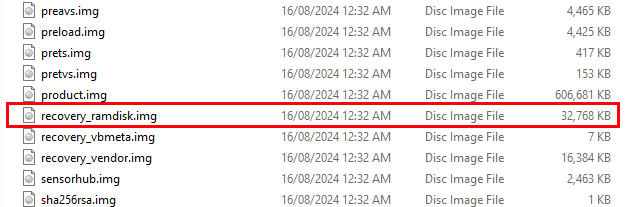
- Unzip your downloaded stock image.
- Find the file
UPDATE.APPwhich stores all of our partitions. - Download the image splitting Python script.
- Extract the partition:
python ./split_image.py ./UPDATE.APP. - Find the
recovery_ramdisk.imgimage from the/outputfolder.
3. Patching recovery_ramdisk with Magisk
The following is based on the following instructions from Magisk.
- Copy the
recovery_ramdisk.imgto your phone.- Use USB cable and copy over to internal storage.
- Or copy to a SD card and insert it into your phone.
- Download and install Magisk to your phone (doesn’t require root to patch image)
- Link (Backup)
- Link (Official github)
- Requires you to enable permission to install APKs from external sources.
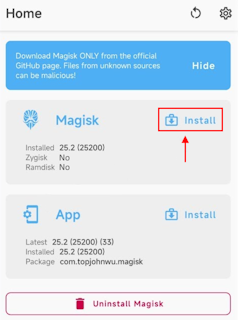
- Open the Magisk app.
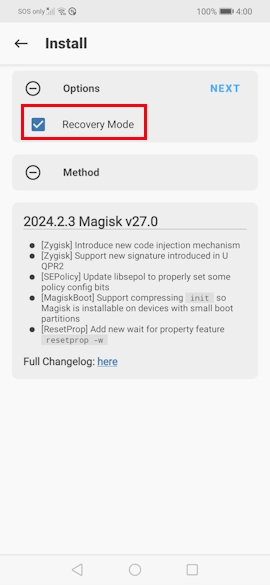
- Press the
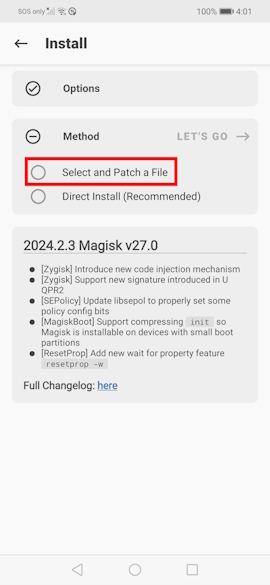
Installbutton. - Select the
Select and Patch a Fileoption. - Browse to where the
recovery_ramdisk.imgimage is located - Wait for the patching to finish.
- Copy the patched image
magisk_patched-*.imgfrom theDownloadsfolder.- By default Magisk is configured to save patched images to
Downloads. - If it isn’t present read the text log after patching to determine where it is located.
- By default Magisk is configured to save patched images to